

How to Set Up Piplify
Follow these simple visual steps to configure instant sound alarms on your Phone, Android, Telegram bot, and email. Takes less than 30 seconds.
Tap allow when your phone prompts you so active alerts can ring and vibrate.
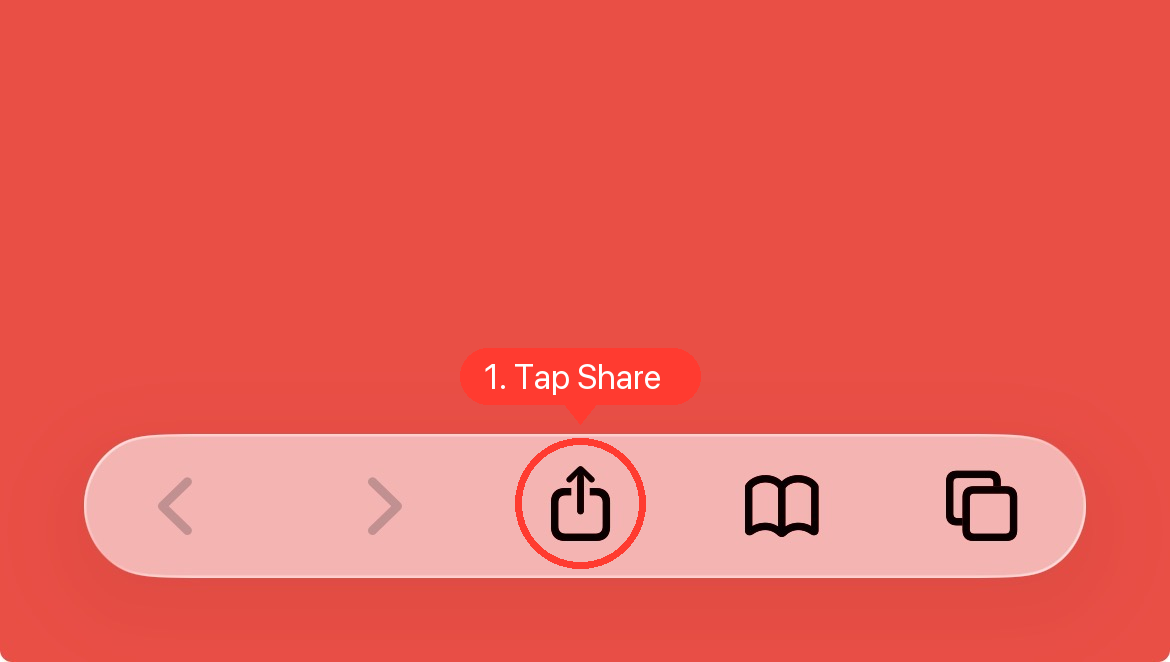
Open Safari & Tap the Share Button
Open Safari on your iPhone and visit piplify.trade. Look at the bottom navigation toolbar and tap the Share icon (circled in red below).
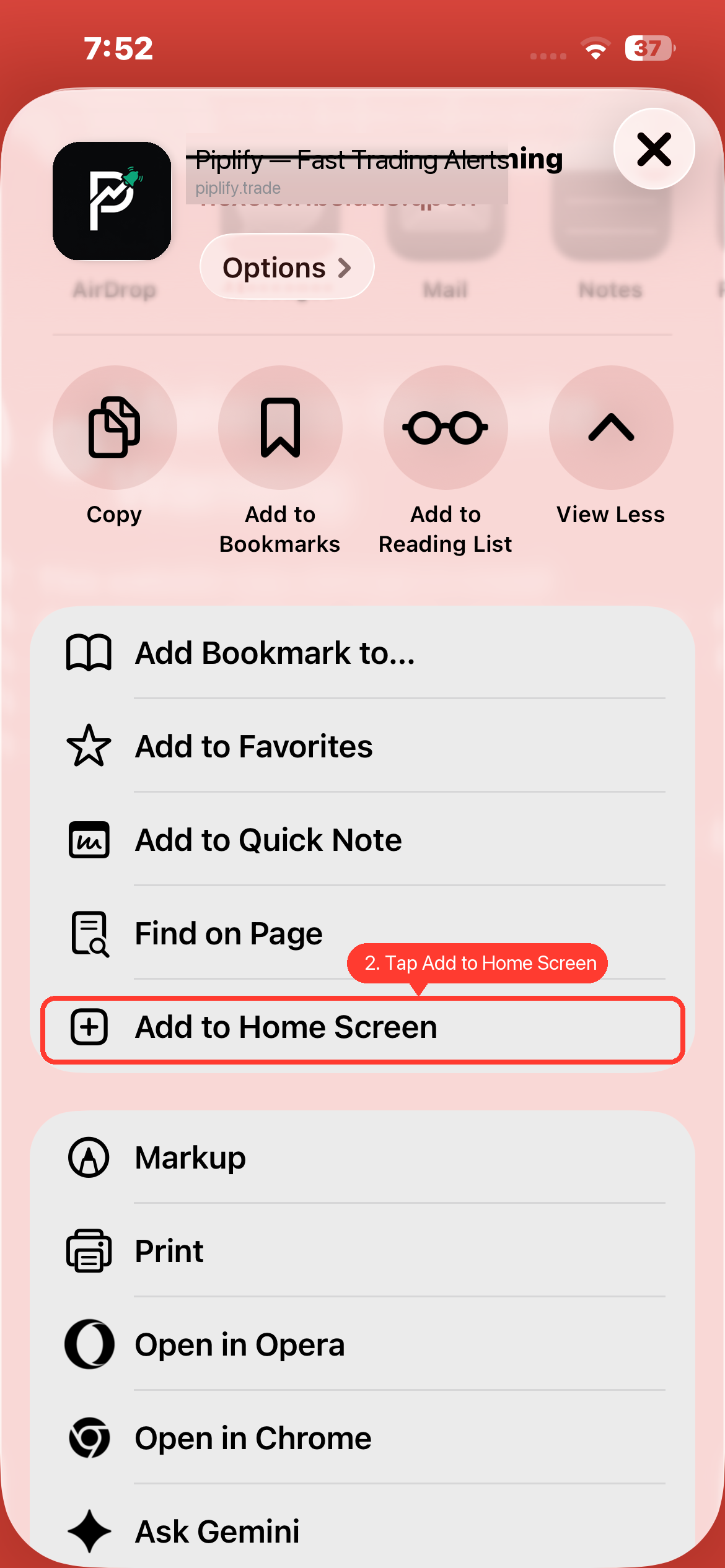
Scroll Down & Tap “Add to Home Screen”
In the iOS Share sheet that opens, scroll past the copy options down to the action list. Tap “Add to Home Screen” (highlighted in red).
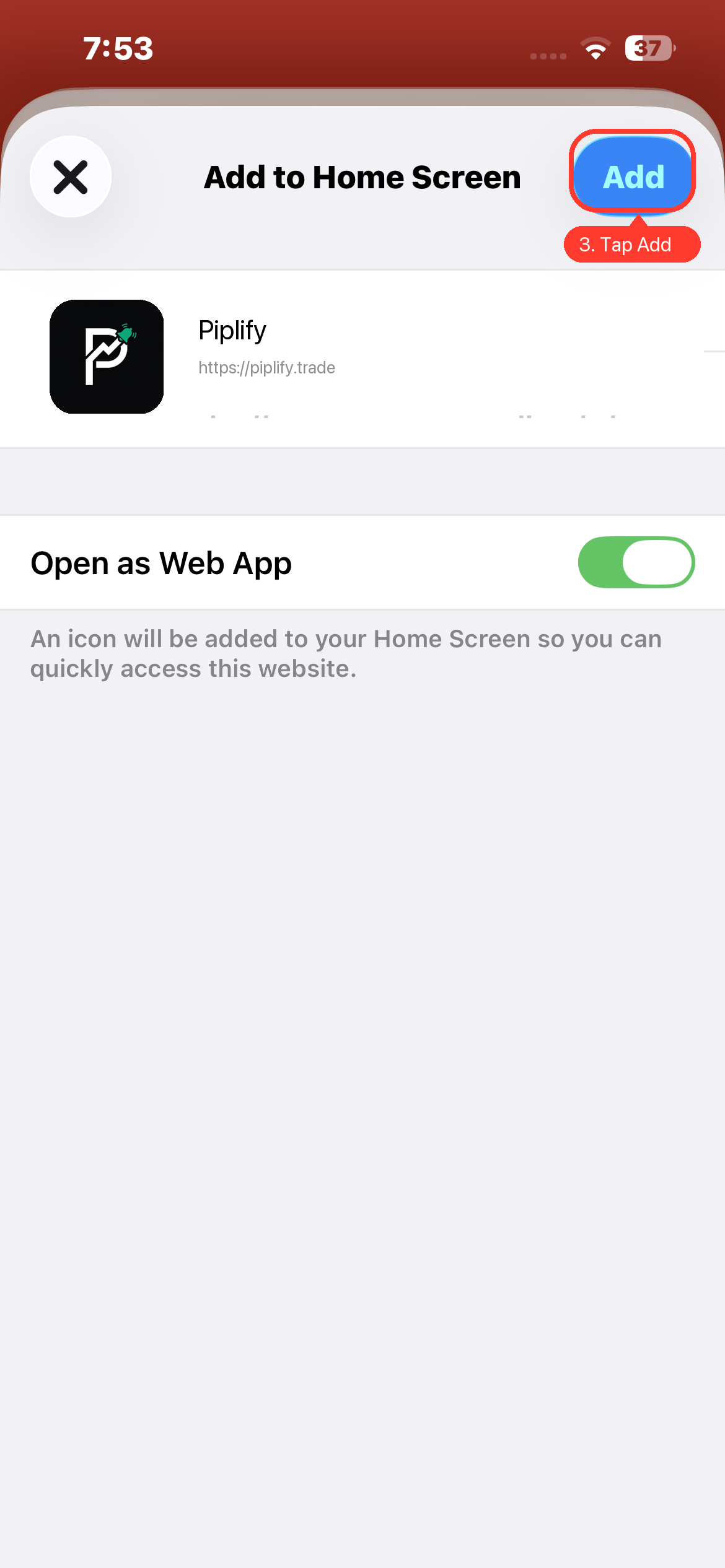
Confirm & Tap “Add”
The confirmation modal will appear. Make sure the title is Piplify and “Open as Web App” is toggled ON. Then tap the blue “Add” button in the top-right corner.
Launch Piplify & Tap “Allow”
Tap the new Piplify icon on your iPhone home screen. When the system prompt asks ““Piplify” Would Like to Send You Notifications”, tap “Allow”.
Ready to Arm Your First Alert?
Launch the trader dashboard to monitor synthetic ticks, configure volume triggers, and test real-time delivery.